Android · coming soon
Technology won’t save you. Your friend will.
Your apps unlock when a friend says yes. ScreenRehab locks the apps you lose hours to, and when today’s limit runs out, the only way back in is to ask someone you trust and tell them why. They ask you, too.
Most screen-time apps fail.
Not because they’re bad apps. Because they expect you to have infinite willpower.
Instagram, TikTok, YouTube: built by thousands of engineers whose only job is to keep you scrolling.
Your willpower at 11 pm against their algorithms.
So we tried something different.
We added a human.
How it works
Every extra minute is a request.
You and a friend link your phones with a six-character code. Each of you picks the apps that pull you in and gives them a daily limit. Then an evening goes like this.
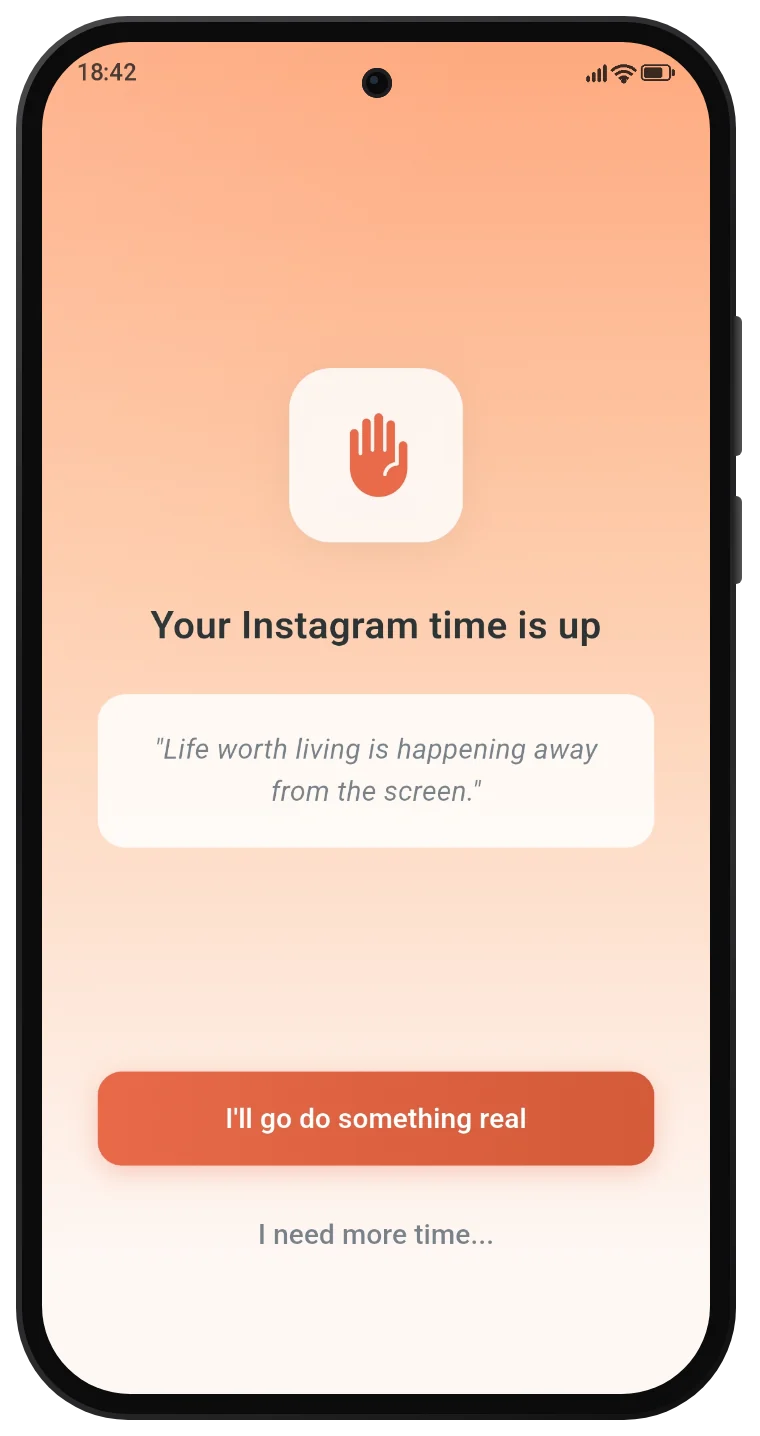
Emma hits her 30-minute Instagram limit. The app locks.
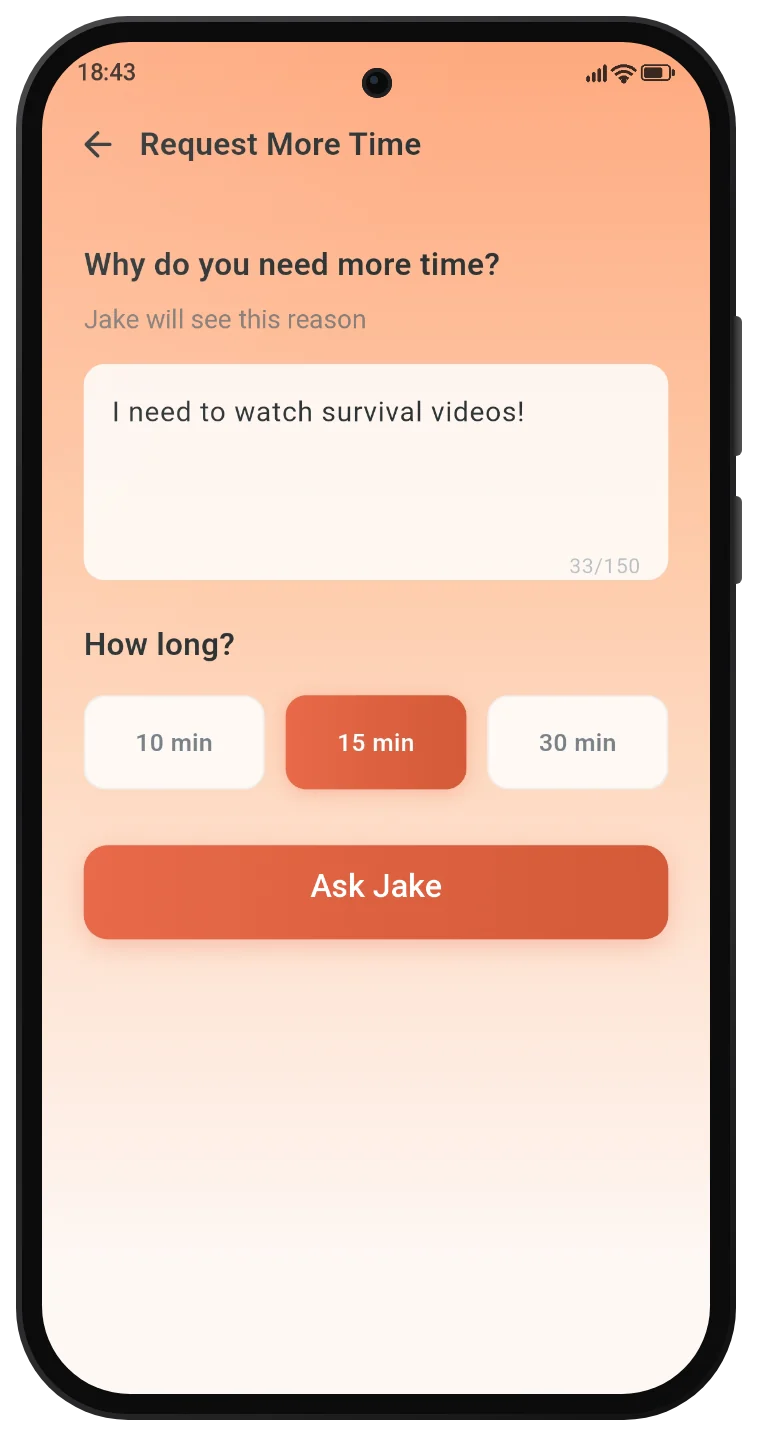
She asks Jake for 15 minutes: “I need to watch survival videos!”
Jake says yes. Instagram opens for exactly 15 minutes.
Jake asks her for more YouTube. Emma says no.
In the app
Three screens do most of the work.
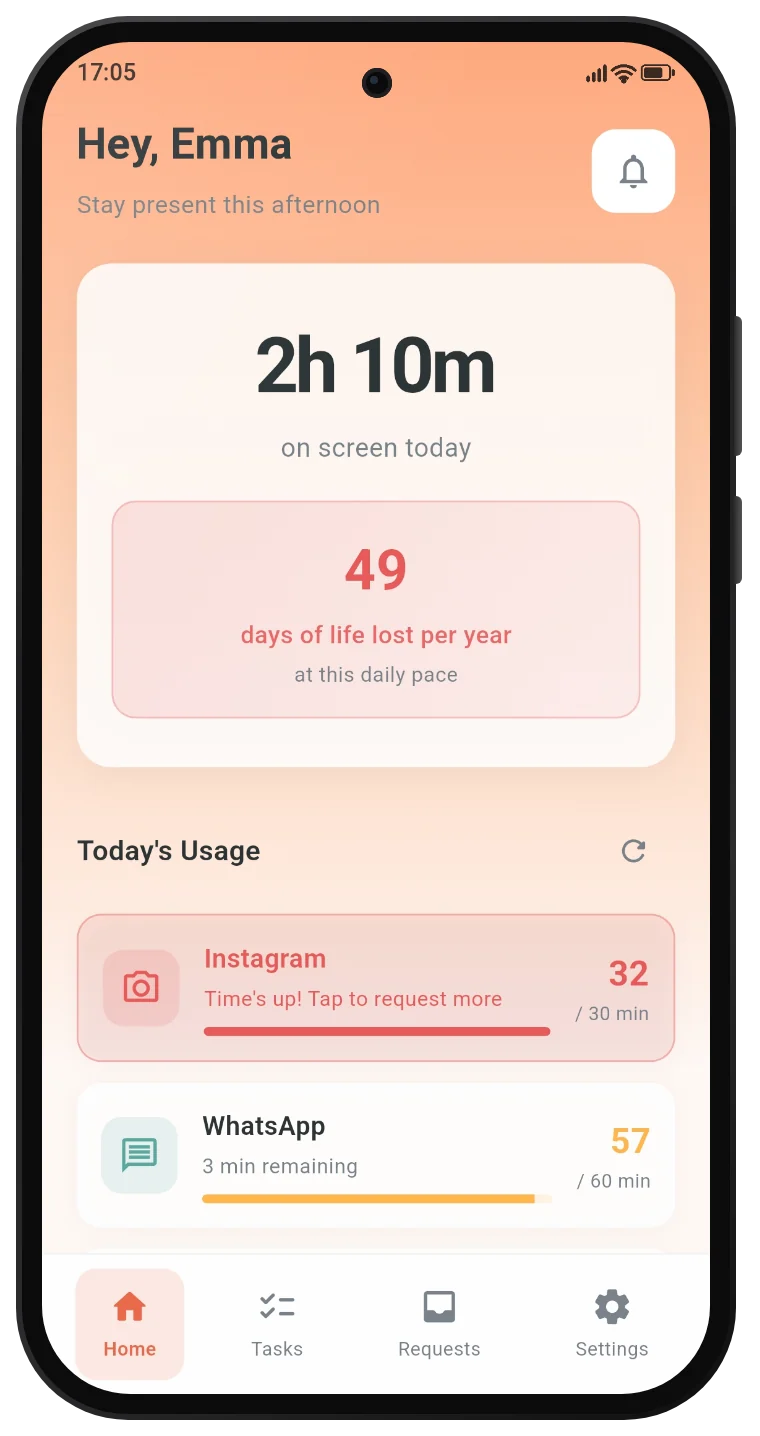
Today
Every app you manage, with the time you’ve used against its limit.
-
Time’s up
The app closes and stays closed. There’s no snooze and no “ignore for today”.
-
Ask
Pick 10, 15 or 30 minutes and write a reason. Your buddy reads it and decides.
The number
Five hours a day is 114 waking days a year.
The first thing ScreenRehab asks is how long you spend on your phone. Then it shows you what that adds up to, in days you were awake for. That number is what the two of you are working on.
Both ways
Nobody plays the parent.
- You both have limits
- Jake answers Emma’s requests and she answers his. Being on the other side is half of what makes it work.
- One plan covers two
- One of you subscribes and your buddy is included, like a gift. It starts with a 7-day free trial.
- No quiet exits
- You can unlink whenever you want, after a short waiting period. If you switch blocking off, your buddy is told.
Privacy
What your buddy sees, and what nobody sees.
Your buddy sees
- Your display name
- Your requests: the app, the minutes and your reason
- Your daily task progress
- An alert if you switch blocking off
Nobody sees
- Your messages, photos or anything on your screen
- What you type or browse
- Your detailed screen-time history, which stays on your phone
- Anything for advertising. There are no ads and no trackers.
Questions
Before you start
Which permissions does it need?
Usage access, to measure time in the apps you chose. Accessibility, to notice when a locked app opens. Display over other apps, to show the lock screen. Each one is explained before it’s requested.
Who should my buddy be?
The best accountability buddy is someone who won’t judge you for asking, who will actually say no, who you don’t want to disappoint, and who wants you to win. A friend, a partner, a sibling. They need an Android phone with ScreenRehab installed.
What if my buddy stops answering?
You can unlink at any time. The change takes effect after a short waiting period, so it can’t be used as an escape hatch in a weak moment. Then you can pair with someone new.
Is there an iPhone version?
ScreenRehab launches on Android first. An iPhone version is planned.
How do I delete my account?
In the app under Settings, or by email. Here’s how, and what gets deleted.
The moment you have to ask someone for more time, you realize you don’t need it.
Pick your person.
Then both of you install ScreenRehab. One subscription covers the two of you.
Stop fighting billion-dollar algorithms alone.
Coming soon onGoogle Play